
Patient scheduling is one of the most time-consuming administrative tasks in healthcare, and one of the most frustrating for patients. The right patient scheduling best practices change that by helping clinics, hospitals and practices see more patients, protect revenue and give patients an easier way to get care.
When scheduling is disorganized, the costs add up fast. Staff spend hours on the phone and providers lose time to gaps and no-shows. Some patients give up before they ever book. Making it easy to schedule, reschedule, cancel and join a waitlist increases the chances that patients book an appointment and actually show up.
The 10 practices below work as practical medical appointment scheduling guidelines for organizations of any size, starting with the structure of your schedule.
What is the patient scheduling process?
The patient scheduling process is the series of steps a healthcare organization uses to get a patient from an appointment request to a completed visit. Most patient scheduling workflows follow five steps:
- Request: The patient asks for an appointment online, by phone, through a referral or at check-out after a previous visit.
- Match: Staff or a self-scheduling tool pairs the request with the right provider, visit type, location and time slot.
- Confirm: The appointment is booked and confirmed with the patient, and it syncs to the EHR or practice management system.
- Remind: Automated text, email or voice reminders keep the appointment top of mind and give patients an easy way to confirm, cancel or reschedule.
- Follow up: After the visit, the patient schedules any follow-up care, and open slots from cancellations are filled from a waitlist.
Each of the best practices below strengthens one or more of these steps.
Patient scheduling starts with the right structure
The best scheduling systems account for visit complexity, provider capacity and patient needs.
“Patient scheduling is never a one-size-fits-all, especially when you have multiple providers and specialties,” says Mike Arthurs, MBA(this link opens in new window), the director of internal medicine operations at Raleigh Medical Group(this link opens in new window). “With over 50 providers in our group, each one has their own preference on how they want their schedule to be structured.”
He underscores the importance of having a flexible scheduling platform that can accommodate specific needs. “When scheduling aligns with providers’ workflows, it supports efficiency, satisfaction and ultimately better patient care,” says Arthurs.
Here are the core scheduling models(this link opens in new window) that are most commonly used:
- Time-slot scheduling: Patients receive fixed appointment times at regular intervals.
- Wave scheduling: Several patients are scheduled at the same time (e.g., the top of the hour) and seen in order of arrival.
- Open booking: Patients come in during general appointment hours and are seen on a first-come, first-served basis.
- Priority scheduling: Appointment slots are assigned based on urgency or need.
- Hybrid models: Different scheduling methods are combined.
When choosing the right one for your practice, you’ll want to keep the following considerations in mind.
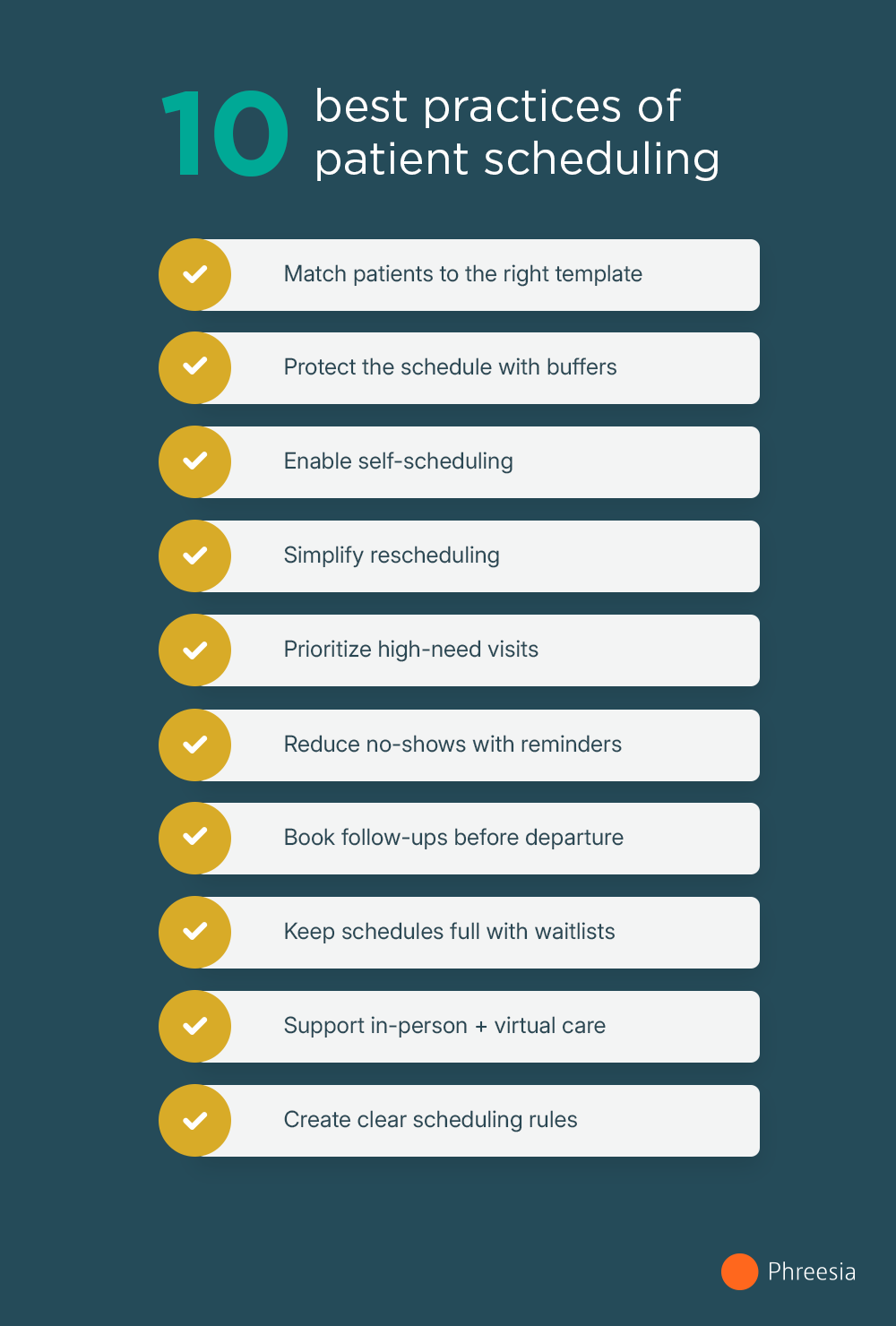
1. Use the right patient scheduling workflow
Effective and efficient scheduling templates(this link opens in new window) avoid rigidity. They are adaptable to differences in provider workflows, types of visits and varying patient needs.
If all appointments involve the same timeframe, such as 20 minutes, bottlenecks and unnecessary gaps can occur. For example, if a more complex visit arises that requires more than the designated time, other patients experience waiting room backups as providers fall behind.
Likewise, if all appointments are scheduled for longer intervals, then provider schedules develop costly lulls that could be filled with more patients. Varying appointment lengths that account for different appointment types help reduce these workflow challenges and increase patient satisfaction.
2. Build in a buffer time
Buffer time built into each day helps avoid appointment bottlenecks. Even the most well-planned schedules can develop delays and long wait times.
Some appointments will run over based on need, some patients will arrive late and other unexpected issues can arise. Just one of these factors that creates a delay can set off a domino effect that leaves providers stressed and patients frustrated.
Adding breathing room into appointment scheduling helps absorb delays before they impact the overall schedule. If buffer time isn’t needed, providers have a moment to catch their breath, attend to charts and perform other necessary tasks that tend to pile up by the end of their workday or shift.
3. Make scheduling patient appointments self-serve
Self-scheduling options help improve patient satisfaction, reduce no-shows and boost productivity for administrative staff.
Phone-based patient scheduling takes over eight minutes(this link opens in new window), while self-scheduling takes less than 60 seconds. Self-scheduling can reduce inbound call volume while giving patients the digital convenience they expect. Phreesia’s self-scheduling syncs with your EHR or practice management system in real time, so patients only see openings that are actually available and staff never have to fix double bookings.
“The world we live in is all about convenience,” Arthurs says. He notes that people can shop for everyday items from their devices whenever they need to and that the healthcare industry must follow suit.
“Patients want to schedule their appointment at their own leisure,” he adds. “No one wants to wait on hold to connect with a provider’s office.” In many cases, the provider’s office isn’t even open when patients think about or have time to schedule their appointments.
Phreesia’s network data show that 52% of self-scheduled appointments are made outside business hours, indicating that patients value convenience and expanded access.
Not every patient will choose to schedule their appointment using digital tools, but self-scheduling workflows outsource a good portion of staff scheduling tasks.
4. Offer easy rescheduling
Even patients with high levels of activation and engagement will face the need for canceling or rescheduling an appointment. Digital tools that allow for this reduce friction for patients and staff(this link opens in new window).
“Life is unpredictable,” Arthurs says. “Conflicts and unexpected events happen in everyone’s life, making it unrealistic for patients to keep every scheduled appointment. When patients can make changes without penalty or hassle, they are more likely to stay engaged and reschedule rather than simply not show up.”
Automated workflows for cancellation or rescheduling also help maintain schedule efficiency for providers. If one patient cancels, another can see the opening and book the slot.
5. Prioritize appointments
Scheduling patient appointments by clinical urgency or need(this link opens in new window) can also be a valuable tactic for more efficient patient scheduling.
When using priority scheduling, requests are assessed by whether the appointment need is urgent, routine or a follow-up. A portion of a provider or clinic’s overall schedule can be reserved for urgent or unexpected appointments without disrupting the workflow of routine or follow-up visits.
When using priority scheduling, healthcare organizations must have clear rules for same-day appointments. Guidelines might be based on symptom severity or other metrics, but they need to be clear for administrative staff.
6. Confirm with reminders
Automated appointment reminders(this link opens in new window) via text, email or voicemail help keep the appointment top of mind for patients and reduce no-shows.
Using more than one channel matters. Voice reminders reach patients who tend to ignore or miss text messages, which helps close the gap on no-shows.
Messaging should encourage patients with a call to action, such as to confirm their appointment with a “YES” or similar response.
Messaging can also provide patients with next steps, including filling out pre-appointment paperwork, confirming existing medications and more.
7. Schedule follow-up visits before patients leave
Once a patient leaves an appointment, the task of scheduling a follow-up visit tends to be out of sight and out of mind. Encouraging follow-up scheduling as part of the check-out process gets an appointment on the books. This can be half the battle in ensuring continuity of care.
8. Use waitlists smartly
Sometimes providers are extremely busy and in high demand. When this occurs, patients may have trouble finding an appointment within a specific timeframe or when their schedule allows. In these cases, they may wish to get on a waitlist.
“Waitlists allow patients the opportunity to move their appointment up sooner or schedule a non-urgent appointment within a desired timeframe,” Arthurs says. “When there is a cancellation, this allows organizations to proactively schedule patients when patients are available. This benefits patients by improving access to care and helps organizations maintain productivity and avoid lost revenue from unused appointment times.”
Phreesia’s AI-powered Appointment Accelerator smart waitlist fills open slots in 5 minutes on average, versus one or two days for other electronic waitlists. Automated text offers let waitlisted patients claim an open slot from their phone, with no staff outreach required. Getting patients seen sooner is good for outcomes, patient access and revenue.
West Coast Neurology saw the impact firsthand. In six months, the practice filled 1.6K appointments through Appointment Accelerator®, moving patients up an average of 25 days. Patients claimed earlier appointments in just over five minutes, and Appointment Accelerator filled 44% of eligible vacancies.
“Keeping a schedule productive is good for patients and good for the practice. Appointment Accelerator® helps us fill openings we would have otherwise missed—and the numbers show it. It’s become a consistent part of how we run.”
Ultimately, waitlists allow for proactive scheduling instead of forcing staff to engage in reactive scheduling to fill unused appointment slots.
9. Support multiple visit types
Not all appointments are the same. Some provider appointments might be in-person, while others are telehealth. Some appointments might require a more in-depth visit, while others are routine touchpoints requiring minimal time.
Scheduling workflows should offer a mix of appointment types and pair time slots with the needs of each type.
10. Train staff on clear rules
Healthcare organizations also need to train staff on scheduling logistics and patient scheduling workflows so that policies are standardized across teams. Regular performance reviews help elucidate any areas that require improvement, whether for staff and provider productivity or for patient satisfaction.
Scheduling best practices for primary care
Primary care schedules juggle more visit types than most specialties, from quick sick visits to annual physicals and chronic care check-ins. These primary care scheduling best practices help keep that mix running smoothly:
- Match appointment length to visit type. A medication follow-up might need 15 minutes, while a new patient visit or annual wellness exam may need 40 or more. Build templates around your most common visit types instead of a single default length.
- Hold space for same-day needs. Reserve a few slots each day for acute visits so sick patients can be seen quickly without pushing routine appointments back.
- Book the next visit before the patient leaves. For patients managing chronic conditions, scheduling follow-ups at check-out keeps care on track and reduces gaps between visits.
- Protect continuity of care. Whenever possible, schedule patients with their own provider or care team. Patients who see the same provider consistently tend to have better outcomes and stronger relationships with the practice.
- Reach patients who are overdue. Automated outreach, including AI voice agents like Phreesia VoiceAI, can contact patients due for preventive care or annual visits and get them back on the schedule.
Scheduling best practices for hospitals and health systems
In a health system, scheduling spans many departments, locations and provider types. Improving hospital scheduling efficiency depends on coordination as much as speed:
- Centralize where it makes sense. A central scheduling team or shared platform gives patients one place to book and gives the organization visibility into capacity across locations.
- Standardize templates and rules. Consistent visit types, appointment lengths and scheduling rules across departments make it easier to train staff and route requests correctly.
- Coordinate multi-department visits. When a patient needs imaging, labs and a specialist visit, scheduling them together on the same day saves the patient extra trips and reduces no-shows.
- Balance provider capacity. Track utilization across providers and locations so patients can be offered the earliest available appointment, not just the next opening with one provider.
- Fill cancellations across the network. Smart waitlists like Phreesia’s Appointment Accelerator fill open slots in 5 minutes on average, helping large organizations recover appointments that would otherwise go unused.
Common mistakes that make healthcare appointment setting less efficient
The strategies listed above outline the best practices for patient scheduling and they highlight some of the most common mistakes organizations make.
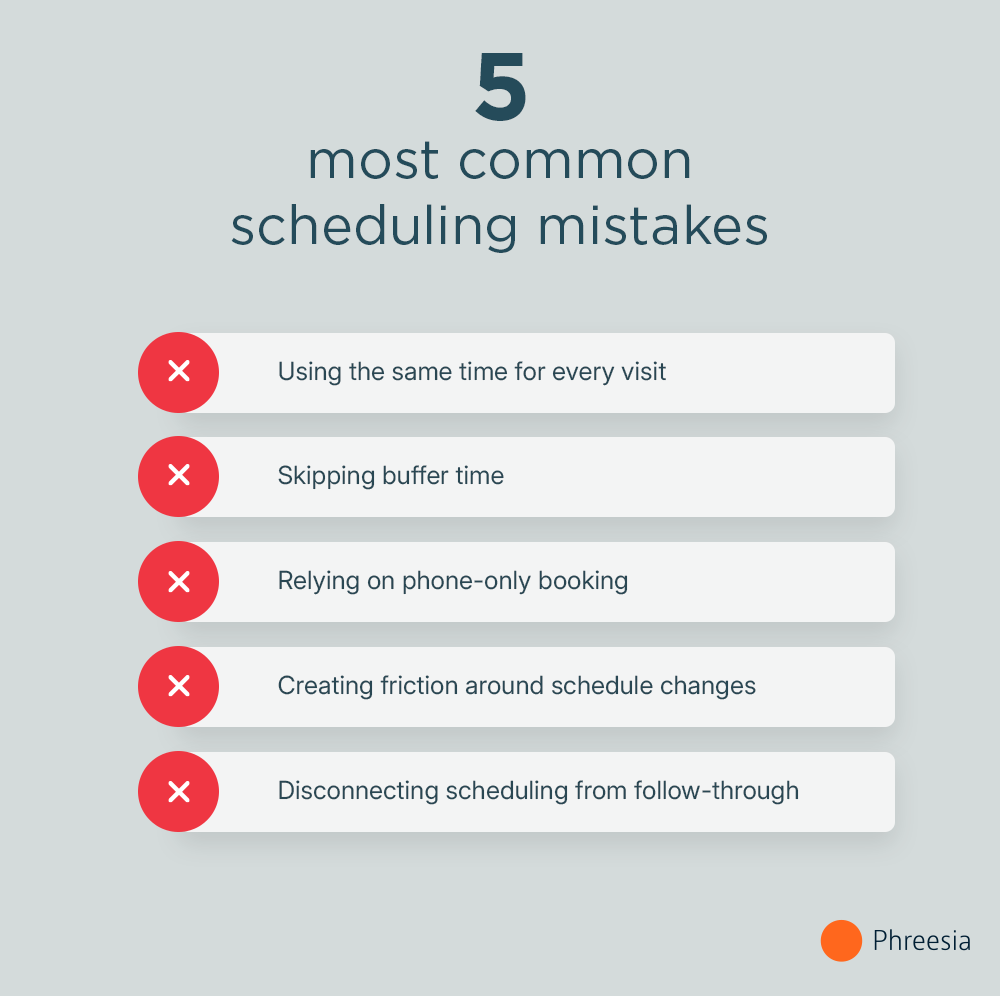
Common scheduling mistakes:
- Treating every appointment as if it requires the same amount of time
- Overloading provider schedules without buffer time
- Relying on phone-only scheduling
- Creating patient barriers for canceling appointments or rescheduling
- Failing to connect scheduling workflows with reminders, patient intake paperwork and follow-up care
“Organizations have to be open-minded to new alternatives to improve the patient experience,” Arthurs says. “We must rely on innovation to help where it is needed. Reevaluating current processes and identifying where you can make improvements ultimately increases efficiency for staff and provides convenience to patients.”
He cautions: “Organizations that resist adapting will continue to lose patients who expect healthcare to fit more seamlessly into their daily lives.”
How is AI changing patient scheduling?
Automation has assisted patient scheduling for a while now. However, AI tools have elevated the process by making patient scheduling even more flexible, faster and smarter.
Here’s how AI supports patient scheduling:
- Offering self-scheduling 24/7: AI voice agents handle every inbound scheduling call end-to-end–no hold times, no staff, available in 20+ languages around the clock.
- Smarter matching of appointment type with time slots: AI can apply practice-defined scheduling rules to help route appointment requests by visit type, timing need or clinic protocol.
- Predicting no-shows and reducing wasted time: AI analyzes patterns to predict when no-shows might occur based on past behavior, weather concerns and more. It also triggers reminders and gives patients options if their needs or schedules have changed.
- Filling cancellations automatically: Phreesia’s Appointment Accelerator fills open slots in 5 minutes on average–no staff outreach required.
- Optimizing schedules: AI helps improve overall clinic workflow by filling sudden schedule gaps, building in buffer time for appointments that might run long, reserving space for same-day urgent needs and more.
- Reducing administrative workload: By outsourcing patient scheduling to self-schedule models and automating scheduling optimization, AI alleviates staff burden.
- Reaching overdue patients proactively: AI voice agents like Phreesia VoiceAI can now initiate outbound calls to patients due for a visit, reconnecting them to the schedule without a staff call list.
Frequently asked questions
Medical scheduling is the workflow healthcare organizations use for scheduling patient appointments. While it may seem like a simple administrative task, it’s a critical function that is directly tied to a practice’s revenue. Efficient scheduling maximizes revenue by increasing patient volume and optimizing provider time. Poor scheduling workflows lead to no-shows, lost revenue and wasted resources.
The most effective strategies match appointment lengths to visit types, let patients self-schedule 24/7, send automated reminders and fill cancellations from a smart waitlist. Building in buffer time and scheduling follow-ups before patients leave also keeps schedules running smoothly.
Best practices center on reducing friction for patients while keeping schedules accurate and full. That means offering 24/7 online booking, using smart scheduling logic to match patients with the right provider and visit type, and automating reminders to minimize no-shows. When done well, a modern scheduling workflow saves staff hours while improving the patient experience from the very first touchpoint.
The biggest opportunity is moving booking off the phone and into a digital self-service workflow. Most patients prefer booking online, and 43% of appointment requests happen after business hours when staff aren’t available to answer calls. Adding online self-scheduling with guided booking logic lets patients book correctly on their own time and reduces the rescheduling and callback work that strains front-desk teams.
The patient scheduling process is the series of steps that takes a patient from an appointment request to a completed visit. It typically includes five steps: request, match, confirm, remind and follow up. Practices that automate this process with online self-scheduling save 8 minutes of admin time per online appointment scheduled and reduce booking errors that lead to rescheduling.
For most ambulatory practices, a guided self-scheduling model that balances patient convenience with smart booking logic delivers the strongest results. Rather than open-ended booking, the most effective systems walk patients through a short set of questions to match them with the right visit type, provider and location. This approach reduces improperly booked appointments, keeps provider schedules accurate and frees staff from managing high volumes of inbound calls.
The most effective no-show reduction strategies combine automated reminders, easy rescheduling options and faster access to care. Automated tools that text patients when earlier slots open up can reduce no-show rates by up to 79% and fill 1 in 5 last-minute cancellations without any staff involvement. Giving patients more control over their scheduling experience makes it more likely they’ll reschedule rather than simply not show up.


