- The Form Properties - The Form Properties
|
Properties |
||
|
Visual Properties |
Option |
Description
|
|
3DLock |
Determines how the controls in the form will be displayed. When 3DLook is Yes, editboxes, checkboxes, and radiobuttons will have sunken edges, like common Windows controls. If 3DLook is No the controls are simpler, more suitable for printing. |
|
|
Color
|
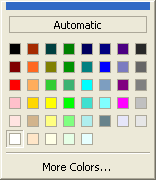
Specifies the color of the page(s). Use the default or select a color using the drop down list. |
|
|
EncryptedColor |
Use the default color or select a color for encrypted fields using the drop down menu. |
|
|
Font |
Arial |
Specifies the default font for the form. Choose from fonts installed on your system. |
|
HelpFiles |
... |
Add HTML files to a form. These HTML files are automatically embedded in the form and display in the Help Browser. |
|
PaperHeight |
1100 |
Specifies the height of the form. Each inch is equal to 100. |
|
PageTitle |
|
A page name used by the form author for GoTo commands. |
|
PageWidth |
850 |
Specifies the width of the form. Each inch is equal to 100. |
|
PrintBackColor |
0 - No |
If the form uses a color other than white, specify that the color prints or does not print. |
|
1 - Yes |
||
|
ReadOnlyColor |
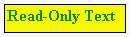
Use the default color or select a color for read-only text using the drop down menu. The default color is grey. |
|
|
SignedColor |
Use the default color or select a color for text signed with a digital certificate using the drop down menu. |
|
|
Field Properties |
Option |
Description
|
|
HasAttachments |
0 - No |
Specifies whether or not a form can have other attachments (files). If so, |
|
1 - Yes |
||
|
MsgConditional |
Custom message: Do you want to send this form? |
Create a custom dialog for global actions related to the form. |
|
|
||
|
MsgReadOnly |
Custom message: This field cannot be edited. |
Change the text of the tooltips which appear when the mouse cursor hovers above a conditionally disabled or read-only field. |
|
OnOpen... |
... |
Allows you to add command(s) when the user first opens the form. |
|
OnPrint... |
... |
Customize the list of commands which will be executed when the user chooses Print. |
|
OnReset... |
... |
Customize the list of commands which will be executed when the user chooses Reset. |
|
OnSend... |
... |
Customize the list of commands which will be executed when the user chooses Send. |