- Action Button Properties - Action Button Properties
|
Properties |
||
|
Visual Properties |
Option |
Description
|
|
(FieldCode)
|
Button1 |
The field name of the button. This can be different than the label on the button. |
|
Alignment |
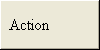
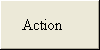
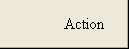
Justify text on the button bar either left, center or right. Button bar text is always vertically centered. |
|
|
BackColor
|
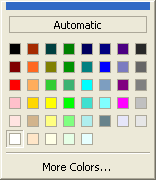
Use the default or select a color using the drop down list. |
|
|
Bitmap |
Default is "(none)"; however, you can add bitmaps and icons to your buttons. |
|
|
BorderWidth |
5 |
Default is 5. Changes the margins from the edge. |
|
Bottom |
70 |
The pixel location from the top of the form to the bottom edge of the form object. |
|
BubbleTip |
|
Allows you to add a help comment which displays to the end-user. |
|
ButtonShape |
0 - Normal |
The Inactive and Active selections can be used to simulate a tabbed sheet or file folder. |
|
1 - Property Tab (Inactive) |
||
|
2 - Property Tab (Active) |
||
|
CursorPointer |
Select different cursors to display when an end-user mouseovers a form object. |
|
|
Default |
0 - No |
|
|
1 - Yes |
||
|
Font |
Arial |
Choose from fonts installed on your system. |
|
ForeColor |
The font color of the object. Default is "Automatic"; however, you can select a color using the drop down list. |
|
|
Layout |
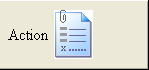
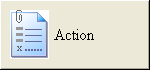
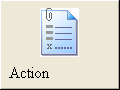
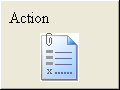
Change the location of a bitmap displayed on the button. |
|
|
Left |
430 |
The pixel location from the left of the form to the left edge of the form object. |
|
NoPrint |
0 - No |
Select "No" to allow end-users to print the form object, or "Yes" to disallow printing of the form object. |
|
1 - Yes |
||
|
Right |
500 |
The pixel location from the left of the form to the right edge of the form object. Subtracting Left from Right tells you how many pixels wide the object is. |
|
Tabstop |
0 - No |
Determines whether or not an end-user's cursor will stop at the form object. |
|
1 - Yes |
||
|
Text |
Action |
The name displayed on the button. |
|
Top |
220 |
The pixel location from the top of the form to the top edge of the form object. Subtracting Top from Bottom tells you how many pixels tall the object is. |
|
Field Properties |
Option |
Description
|
|
Commands... |
|
Select from a list of pre-defined Action button commands. |