Bubble Tips
For more complex forms, Formatta PFF forms can be created with Bubble Tips. Bubble Tips allows the form designer to create field-level help files that can be displayed while the user is filling out the form in Formatta Filler. For example, a form might ask for an "EIN". Using Bubble Tips, the form author can provide further instructions, such as: "EIN is your company's Employer Identification Number issued by the IRS. This number can be found…", or "For more information, click here..." taking the end-user to the IRS website for further instruction. In this capacity, Bubble Tips can greatly simplify the process of filling out complex forms and thereby increase the accuracy of the collected data.
In addition, Bubble Tips eliminate the need for costly pre-printing of form instructions.
Using Bubble Tips
Any area on the form where a user enters information can have Bubble Tips associated with it including radio buttons, checkboxes, editboxes, and multi-editboxes. Highlight the item and click on BubbleTip in Properties to display the HTML BubbleTip window. Enter information associated with your form field. Because BubbleTips are HTML-based, you can enter HTML and hyperlinks just like a regular webpage uses. In fact, BubbleTips are really little mini-webpage browsers that contain any type of HTML or Command formatting you desire.
|
Bubble Tip Display
|
Bubble Tip Formatting
|
|
|
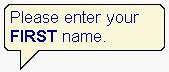
<font size="2" color="#006699" face="Arial">Please enter your <b>FIRST</b> name.</font>
|
|
|
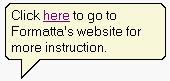
Click <A HREF="http://www.yourwebsitehere.com">here</A> to go to Formatta's website for more instruction.
|
|
|
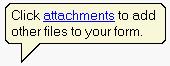
Click <A HREF="cmd://attachments">attachments</A> to add other files to your form.
|
Note: Toggle Properties on or off using Ctrl+L.
