Formatta's electronic forms can connect directly to a database. This means users can connect to a remote database while they're completing a form. Formatta's remote database connectivity works on both a local area network and across the Internet.
The Remote Database Connectivity is implemented using Remote commands in the form and the Messaging API on the server side. The messages exchanged between Formatta Filler and the application using Formatta E-Forms Manager are XML data, encrypted using the same type of encryption which is used in the forms (128-bit encryption with Diffie-Hellman key exchange). The protocol used is HTTP or HTTPS, using POST requests.
The data in the messages is also in the XML format, which can be easily interfaced with any type of database. There are also helper functions for working with popular databases using ADO and ODBC.
Note: Formatta E-Forms Manager is required for database connectivity.
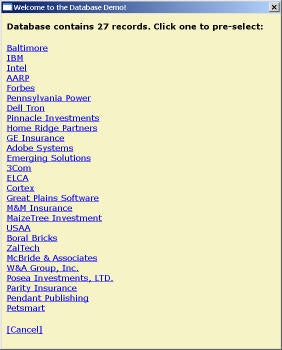
You can connect to any database using a Remote command. As with any other command, Remote commands can be added to buttons, BubbleTips, Help, or text. For example, a Remote command is added to a button named "Status". When pressed by the user, an HTML window displays a list of database records for selection. This window is actually an ASP page sent by Formatta's test server. Once a user clicks a hyperlink, the form is automatically filled with that information.
The specific Remote command for the Status button is:
You can add other Remote commands for searching database records as well:
Go to the first record in the database: http://www3.formatta.com/demos/help/dbtest.asp, SetOfAllFields, actionFirst
Go to the last record in a database: http://www3.formatta.com/demos/help/dbtest.asp, SetOfAllFields, actionLast
Go to the previous record in a database: http://www3.formatta.com/demos/help/dbtest.asp, SetOfAllFields, actionPrevious
Go to the next record in a database: http://www3.formatta.com/demos/help/dbtest.asp, SetOfAllFields, actionNext
