- Border Properties - Border Properties
|
Properties |
||
|
Visual Properties |
Option |
Description
|
|
(ObjectCode)
|
Border1 |
The internal name of the object. |
|
AnchorSnaps |
... |
Specify where anchorsnaps are displayed. Turn on anchorsnaps using |
|
BackColor
|
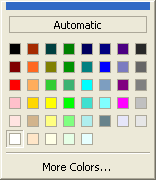
Use the default or select a color using the drop down list. |
|
|
BorderStyle |
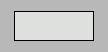
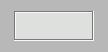
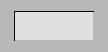
Specify different border styles for the border object. |
|
|
Bottom |
70 |
The pixel location from the top of the form to the bottom edge of the form object. |
|
CornerRadius |
Specify the type of rounded corners. |
|
|
CursorPointer |
Select different cursors to display when an end-user mouseovers a form object. |
|
|
Font |
Arial |
Choose from fonts installed on your system. |
|
ForeColor |
The font color of the object. Default is "Automatic"; however, you can select a color using the drop down list. |
|
|
HatchStyle |
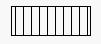
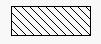
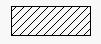
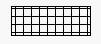
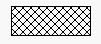
Specify the hatchstyle of the border and its contents. |
|
|
HiliteColor |
|
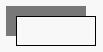
Used with backgrounds to display sunken/raised border styles. |
|
HyperLink |
http://www.yourwebsitehere.com cmd://attachments |
Specify a link to a webpage or an object command. |
|
Left |
430 |
The pixel location from the left of the form to the left edge of the form object. |
|
NoPrint |
0 - No |
Select "No" to allow end-users to print the form object, or "Yes" to disallow printing of the form object. |
|
1 - Yes |
||
|
PenWidth |
1 |
The line thickness of the form object. Valid values are 0 - 100 |
|
Right |
500 |
The pixel location from the left of the form to the right edge of the form object. Subtracting Left from Right tells you how many pixels wide the object is. |
|
RotateAngle |
0 |
Specifies the rotation angle of the form object. Valid values are 0 - 360. |
|
ShadowStyle |
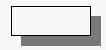
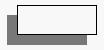
Specify different shadow styles for the form object. |
|
|
Top |
220
|
The pixel location from the top of the form to the top edge of the form object. Subtracting Top from Bottom tells you how many pixels tall the object is. |